
Home Screen Layout Configuration
2 min
The Home screen layout configuration defines a layout of apps, folders, and web clips for the Home screen.
This section contains the following topics:
Licence: Silver
Eligible Devices:
- iOS9.3+ Supervised only
- tvOS Supervised Only
Defining a Home Screen Layout configuration
Procedure
- Go to Configurations > click + Add.
- Type "home" in the search field, and then click the Home Screen Layout configuration. The Home Screen Layout Configuration details page opens.
- Configure the settings on this page. Refer to the table in the section Home_Screen_Layout_Configuration_Settings for guidance on the values.
- Click Next to configure the distribution settings. For shared iPad devices, select the Device channel or the User channel. For more information, see Working with Configurations.
- Click Done.
Home Screen Layout Configuration settings
Setting | What To Do |
|---|---|
Name | Enter a name that identifies this configuration. |
Description | Enter a description that clarifies the purpose of this configuration. |
Dock | Click the + icon to add an app or webclip to the dock of the home screen, shown highlighted here, and then follow the directions on the subsequent screens: 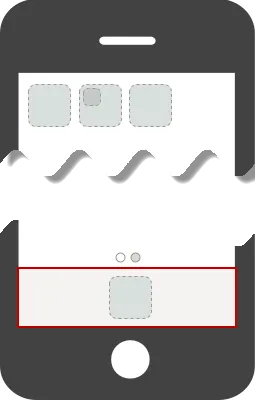 |
Page 1 | Click the 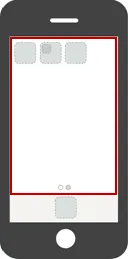 |
