
Capture Network Traffic
1 min
Your Ivanti Secure Access Client administrator can configure an Ivanti Secure Access Client connection to capture packet data. This captures both tunnelled and non-tunnelled network data. This feature can be used to capture packets so that the support team can troubleshoot issues.
Enable the Packet Capture via Windows Registry. F0r more information, see Windows Registry.
Procedure:
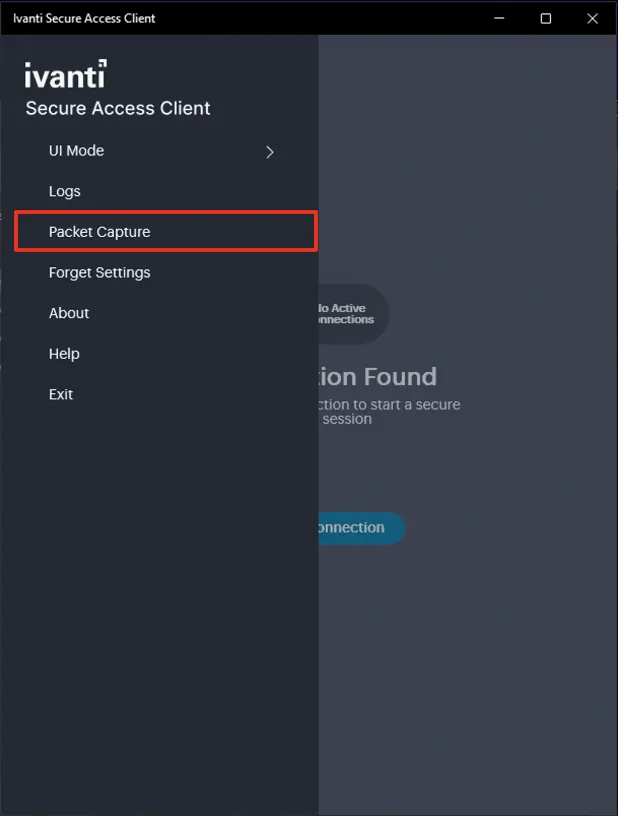
- Select Packet Capture from the main menu. Ensure this is enabled via Windows registry. For more information, see Windows Registry.
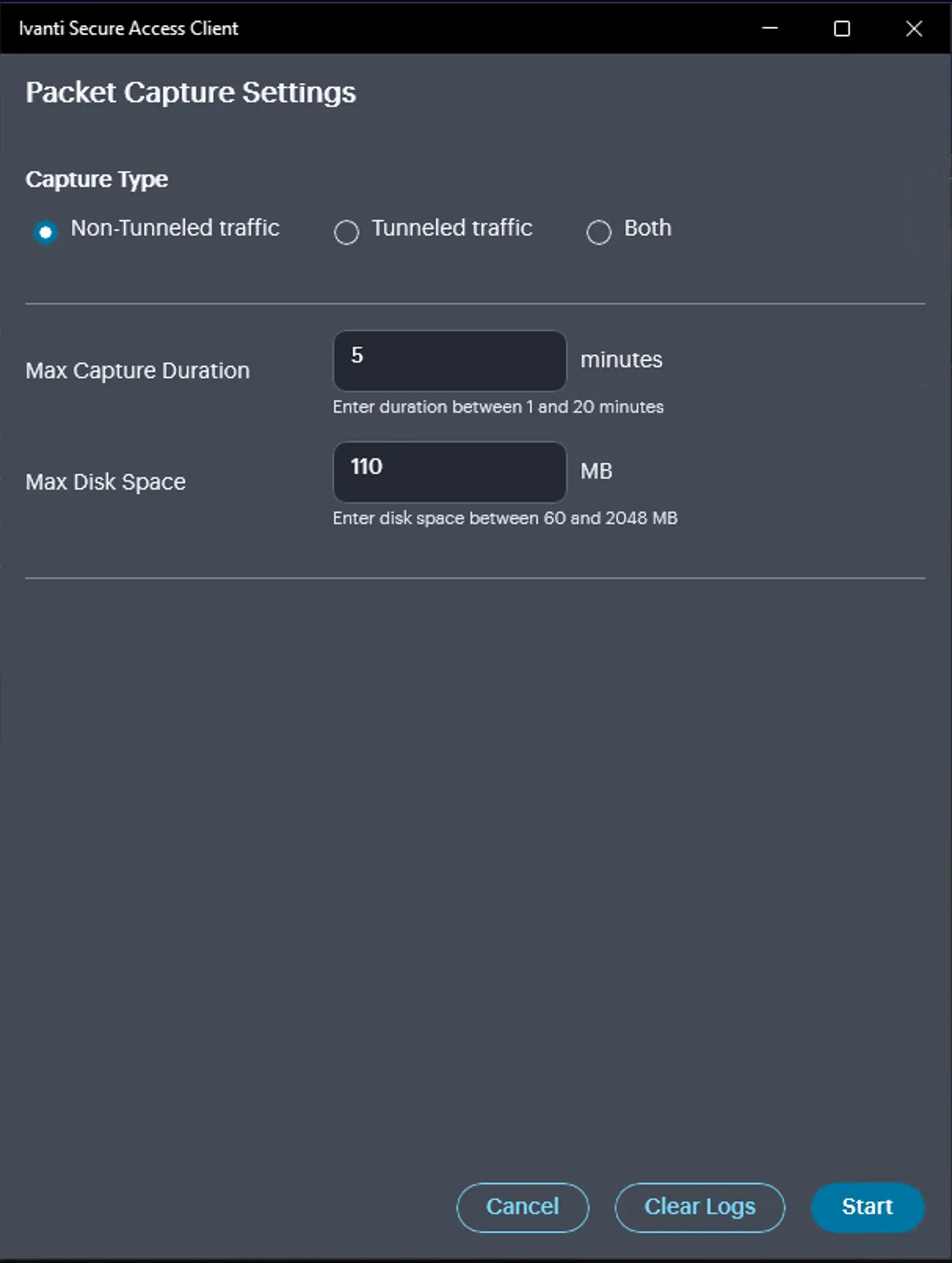
- In the Packet Capture Settings, select the Capture Type, set the Capture Duration, and the Max Disk Space. You can start, stop, pause or resume the capture.
- Select Include Capture Packets in Logs to ensure the packet data is available in the logs for troubleshooting.
If VPN connection established after packet capture, then irrespective of the traffic type selected both tunneled and non-tunneled traffic is available. If VPN connection is disconnected during capture, irrespective of the selection only non-tunneled traffic information is collected.